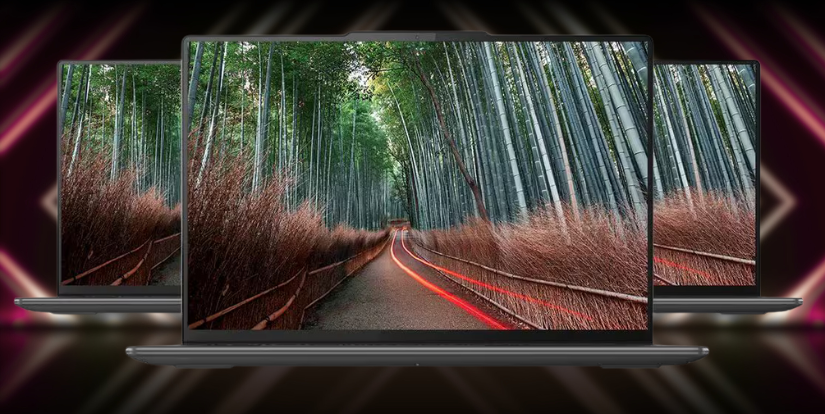
Lenovo Slim Pro 9i
Lenovo’s Slim Pro 9i marches into the premium laptop arena promising a mix of svelte design, creator-first performance, and a feature set aimed squarely at professionals who edit, render, and multitask for a living.
The Lenovo Slim Pro 9i is a powerful laptop designed for creators, professionals, and anyone seeking a balance between performance and portability. In this comprehensive review,
In this review I break down the Slim Pro 9i across design, display, raw performance, battery life, AI helpers, thermals, ports, software, and — most importantly for creative pros — whether it truly earns the “creator” badge. Read on for a close, practical look at what Lenovo got right, where compromises lie, and who should consider this laptop as a daily tool. Our guide to The Ultimate Guide to Garmin Venu 3 covers this in more detail.
Lenovo Slim Pro 9i – Quick Feature Breakdown Table
| Category | Highlights | Considerations |
| Performance | High-core mobile CPUs and optional discrete GPUs handle photo/video editing, multitasking, and rendering well. | Sustained heavy loads may lead to thermal throttling due to slim design. |
| Display | High-resolution (up to 4K), wide color gamut (P3/Adobe RGB), factory-calibrated panels ideal for creators. | Brightness may vary by model; external monitor still preferred for studio-grade accuracy. |
| Specs & Build | Aluminum chassis, 16–64GB RAM, 512GB–2TB NVMe SSD, Thunderbolt/USB-C, USB-A, HDMI. | Some models have soldered RAM or lack SD card slot. |
| Design & Portability | Premium slim chassis, lightweight (~1.4–1.9 kg), comfortable keyboard. | Slim thermals mean higher fan noise during intense tasks. |
| Battery Life | Good for daily productivity and light editing; supports fast charging via USB-C. | Heavy workloads quickly drain battery. |
| AI Features | Noise reduction, auto-framing webcam, power optimization, smart rendering assist. | AI features mostly software-based — impact depends on workflow. |
| Creator-Focused Power | Excellent for mobile photographers, videographers, and designers needing color accuracy & speed. | Not a full replacement for thick workstation laptops in 3D or long GPU rendering. |
Design and build: slim, refined, and intentional
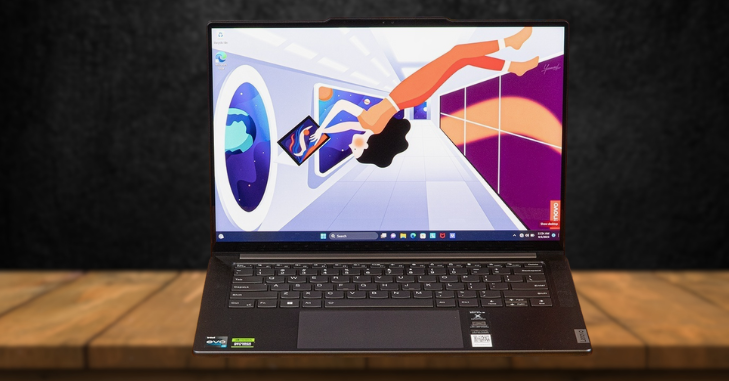
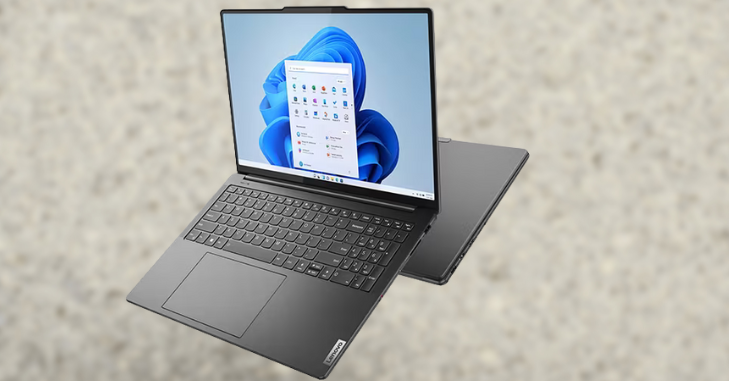
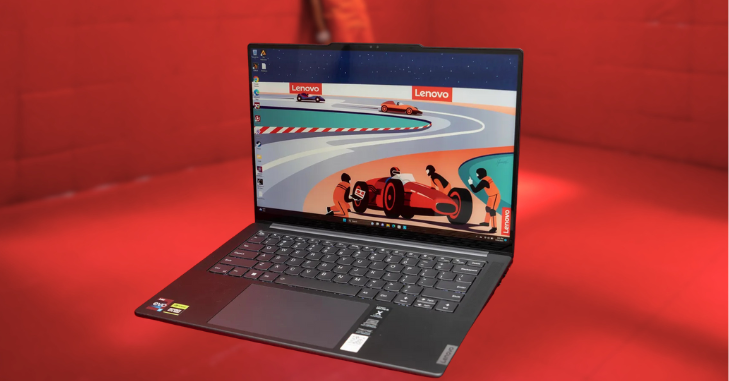
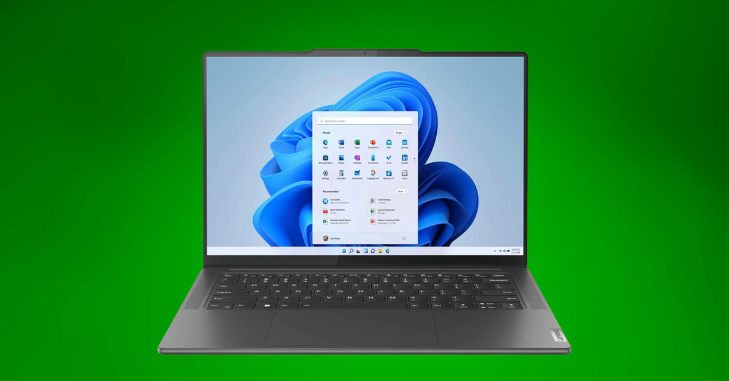
Lenovo’s design language on the Slim Pro 9i is a study in restraint. The chassis is predominantly aluminum with tight tolerances and a matte finish that resists fingerprints. There’s an understated hinge treatment with a slight elevation of the keyboard deck when the lid opens — both pleasing to the eye and functional for airflow. The keyboard is low-travel but precise, with balanced feedback and a wide palm-rest that keeps long editing sessions comfortable.
Port distribution is sensible for creators: a mix of full-size USB-A, multiple USB-C/Thunderbolt ports, HDMI, and a headphone jack. The weight is kept competitive for a 15-inch-class device, making it easy to carry between client meetings, studio sessions, and flights. Build quality is solid; there’s minimal flex in the lid and the display hinge feels confident.
Where the Slim Pro 9i departs from thicker mobile workstations is cooling space — the price for thinness is less internal volume for big heat sinks, which influences sustained performance. A buyer who needs the quietest possible operation during render farms or long encoding sessions might opt for a thicker chassis. But if portability with professional-grade specs is the goal, Lenovo’s execution is strong.
Display: color-first canvas for creators
One of the laptop’s standout features is its display. Lenovo offers high-resolution panels with wide color gamut coverage, factory calibration options, and high brightness peaks suitable for working in mixed lighting environments. The Slim Pro 9i’s panel selections prioritize color accuracy and viewing angles — essentials for photo editing, digital painting, and color grading.
Key display characteristics:
- High pixel density for crisp UI and fine detail in images.
- Wide color gamut (P3 or Adobe RGB options on select SKUs) that reproduces vibrant hues faithfully.
- High contrast and good black depth for better shadow detail.
- Matte or low-reflective coating options, reducing glare during outdoor use.
For creators who rely on color precision, the display is arguably the machine’s most persuasive feature. Calibration tools and color profiles are accessible out of the box, and the display’s uniformity is competitive for a laptop. If you need absolute reference-level accuracy for print production, an external calibrated monitor is still the gold standard — but for on-the-go editing, the Slim Pro 9i’s panel is a top-tier choice.
Performance: CPU, GPU, and creative workflows
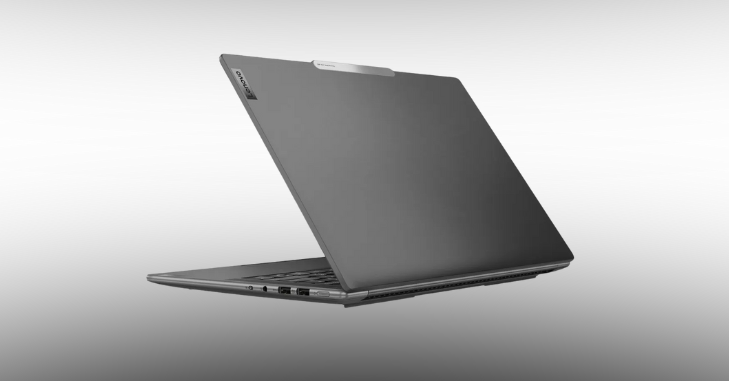
At the heart of the Slim Pro 9i is a selection of high-performance mobile CPUs and optional discrete GPUs aimed at creators. Lenovo configures this machine with current-generation mobile processors and mid-to-high-tier mobile graphics to accelerate editing, encoding, rendering, and real-time previews.
Real-world performance highlights:
- Photo editing: Raw development, masking, and large-file manipulation are fluid — heavy filters and batch exports scale well across multiple cores.
- Video editing: Timeline scrubbing, timeline effects, and H.264/H.265 exports benefit from GPU acceleration; GPU-equipped SKUs handle 4K timelines with several layers and effects comfortably.
- 3D and motion graphics: The Slim Pro 9i manages moderate 3D scenes and real-time work in apps like Blender or After Effects, though very complex scenes will push thermals and may throttle performance over time compared to bulkier workstations.
- Multitasking: Fast SSDs and ample RAM make switching between heavy creative apps smooth.
However, because Lenovo prioritized a slim chassis, sustained heavy loads (long renders, extended GPU encodes) can trigger thermal limitations that reduce clock speeds. That’s not unusual for thin-and-light “creator” laptops — the trade-off is portable power rather than workstation-class continuous throughput.
Key specs at a glance
| Category | Typical configuration (may vary by SKU) |
| Display | 14–16” OLED / IPS, up to 4K, P3/Adobe RGB options, high brightness, factory-calibrated |
| CPU | Latest-gen mobile multi-core processors (high-performance series) |
| GPU | Integrated or discrete mobile GPU (mid-to-high tier mobile NVIDIA/AMD options on some SKUs) |
| RAM | 16GB – 64GB LPDDR / DDR (configurable) |
| Storage | NVMe SSD 512GB – 2TB (user-upgradeable on some models) |
| Ports | 2× Thunderbolt/USB-C, 2× USB-A, HDMI, SD (on some SKUs), 3.5mm audio |
| Battery | 60–90Wh (depending on model) with fast charging support |
| Weight | ~1.4–1.9 kg depending on size and config |
| Build | Aluminum alloy chassis, slim profile, good keyboard, and trackpad |
| Target users | Creators, photo/video editors, mobile professionals |
Battery life and charging: daytime productivity, not marathon sessions
Battery life on the Slim Pro 9i is pragmatic: it’s designed to get you through a day of mixed creative work and meetings rather than multiple days of heavy 4K renders unplugged. Typical use (web, email, light editing, video calls) can stretch into full-workday territory, especially on models with larger battery options. Heavy workloads like prolonged video export or gaming will reduce runtime substantially.
Lenovo mitigates this with fast-charge options that restore a significant percentage of battery quickly, and USB-C Power Delivery support that allows convenient charging from smaller bricks. For creators, the critical factor is workflow planning: the Slim Pro 9i is portable enough to edit on location and return to a power source for final exports without a severe compromise in mobility.
AI features: intelligent helpers for productivity
Lenovo has been integrating AI-powered features into its platform-level software to streamline both productivity and multimedia tasks. On the Slim Pro 9i, you can expect:
- Intelligent noise cancellation for more unmistakable voice calls.
- AI-powered webcam enhancements like auto-framing and exposure correction.
- System-level power and performance optimization that adapts to workloads.
- Potential creative assist tools (depending on software bundle) for quicker edits, upscaling, or smart background removal.
These AI features translate into practical time-savers: better video call presence, fewer manual camera adjustments, and system behavior that reduces micro-lags during heavy multitasking. For heavier AI-driven content creation (e.g., on-device model training or large-scale inference), the laptop’s capabilities will be bounded by its mobile GPU and thermal headroom; cloud or desktop workstation resources remain the tool for those top-end tasks.
Thermal Design
The thermal design of the Lenovo Slim Pro 9i illustrates the challenges associated with its slim profile. While this design choice enhances portability, it also impacts thermal management under demanding workloads. Also worth reading: Quotes for Someone Who Makes You Happy.
Heat Management
Lenovo employs a combination of heat pipes and intelligent venting to dissipate heat. However, during heavy and prolonged CPU and GPU workloads, the laptop tends to warm up significantly. Users may notice an increase in fan noise as the system works harder to cool down.
Performance Under Load
For short creative sessions or quick edits, the thermal performance is manageable. However, during extended tasks such as marathon renders, users might experience thermal throttling. This throttling can lead to reduced peak sustained clock speeds, potentially impacting performance.
Thermal Profiles
To address varying user needs, Lenovo offers thermal profiles: “quiet,” “balanced,” and “performance.” These profiles allow users to customize the laptop’s behavior based on their current tasks.
- Quiet Mode: Ideal for creators prioritizing a silent workspace, this mode minimizes fan noise.
- Balanced Mode: A middle ground that offers a mix of performance and noise management.
- Performance Mode: Designed for those needing maximum output, this preset acknowledges that it will increase both fan noise and heat output.
This flexibility allows users to select the best option for their specific scenarios, ensuring they can work efficiently without excessive noise when needed. Ports, expandability, and connectivity
For a creator-friendly device, ports matter. The Slim Pro 9i typically offers a solid mix:
- Multiple Thunderbolt/USB-C ports for high-speed external drives, docks, and eGPUs (where supported).
- At least one full-size USB-A for legacy devices.
- HDMI for external monitors without requiring a dongle.
- An SD card reader on select configurations — a boon for photographers who need fast media transfers.
Storage and memory options vary by model — higher-end SKUs offer user-upgradable SSDs and RAM, while ultralight configurations may solder components to save space. If you regularly rely on multiple external monitors or fast storage, verify the specific SKU’s I/O before buying.
Software and ecosystem: business-grade utilities
Lenovo bundles its laptops with a selection of productivity and system utilities. Expect:
- Lenovo Vantage (or similar) for system updates, battery health, and tuning.
- Security features such as fingerprint readers or IR cameras for Windows Hello.
- Trial creative applications or partnerships with third-party software providers (varies by region and SKU).
The software suite is pragmatic and aimed at keeping the machine healthy and secure. Bloatware is minimal on higher-tier “Pro” models, making the out-of-the-box experience clean for professional users.
Who is this laptop for?
The Slim Pro 9i targets:
- Freelance photographers and videographers who travel frequently and need a color-accurate display plus enough horsepower for editing on location.
- Content creators and streamers who want a compact but capable machine with a decent webcam and AI-based enhancements should consider this option.
- Designers and illustrators who benefit from crisp color reproduction and responsive performance.
- Professionals who need a balance of mobility and multi-core performance for office-to-studio workflows.
The laptop is less suited for:
- Users who require workstation-level sustained GPU throughput for massive 3D scenes or multi-hour GPU renders without throttling.
- Those who prioritize silent operation under prolonged heavy loads are essential.
- Buyers seeking the absolute cheapest price will find that the Slim Pro 9i sits in the premium bracket.
Pros and cons — quick checklist
Pros:
- These are high-quality, color-accurate display options ideal for creative work.
- Attractive, lightweight aluminum design that’s travel-friendly.
- Strong single- and multi-core performance for most creative apps.
- Good port selection for a thin laptop; Thunderbolt and HDMI included.
- Useful AI-driven productivity features.
Cons:
- Thermal constraints under weighty, sustained loads.
- Fan noise is noticeable in performance mode.
- Some SKUs limit upgradability (check before purchase).
- Not a replacement for full-size mobile workstations in raw sustained GPU power.
Is the Slim Pro 9i the right tool?
Lenovo’s Slim Pro 9i is a convincing proposition for creative professionals who need a genuinely portable machine that doesn’t make crippling compromises on display quality or day-to-day editing performance. It hits an attractive sweet spot: better than basic ultraportables for creators, yet more portable than most full-size workstations.
If your workflow centers on photo editing, moderate video editing, illustration, and content production that benefits from a color-accurate screen and solid CPU/GPU acceleration, the Slim Pro 9i will likely serve you well. If your work involves the heaviest 3D rendering, extended GPU-bound encoding, or silence-first studio recording, you’ll want to compare thicker mobile workstations or desktop-class systems.
Tips for buyers
- Choose the display wisely: prioritize a P3 or Adobe RGB option for color-critical work.
- Invest in extra RAM and a larger SSD if you handle high-resolution video or large Photoshop files.
- If possible, test the thermal/performance behavior with your typical workload to ensure it meets your needs.
- Pair the laptop with an external calibrated monitor for final color-critical tasks or print work.
- Consider Lenovo’s extended warranty or on-site support if this is a production-critical machine.
Final thoughts
The Lenovo Slim Pro 9i successfully packages creator-minded features into a sleek, travel-ready laptop. It doesn’t try to be everything — instead, it gives designers, photographers, and editors a fast, color-true portable workhorse that fits into a modern hybrid workflow. There are thermal and sustain-performance trade-offs inherent to a slim chassis, but for many creative professionals, those are acceptable compromises for a lighter bag and a better screen. If your work demands mobility with professional-level display fidelity and capable performance, the Slim Pro 9i deserves a close look.
Want to know about How E-Books Are Paving the Way for Inclusive Reading Technology Check out our Technology category.
FAQs
While primarily designed for creators, the Slim Pro 9i can handle light gaming thanks to its integrated Intel Iris Xe graphics and optional NVIDIA RTX GPU.
Lenovo provides three thermal profiles: “quiet,” “balanced,” and “performance,” allowing users to customize the laptop’s behavior based on their needs.
Users can expect up to 10 hours of battery life on a single charge, depending on usage and workload.
The Slim Pro 9i can be equipped with up to 32 GB of LPDDR5 RAM and up to 1 TB of SSD storage for fast access and multitasking.